

How to get AI answers from your documents, with sources
To get AI answers from your documents with sources, connect your AI agent to Pocket Archive, ask a specific question, and ask the agent to name the document and page it used. Then download the original or open it in Pocket Archive and compare the answer with the page before you rely on it.
Before you start
A Pocket Archive account with the documents you want to ask about. The Free plan includes 20 pages of text recognition a month.
Documents that have finished processing. An agent can't search text that hasn't been recognized yet.
An AI agent connected to your archive. Read-only access is enough for this guide.
Steps
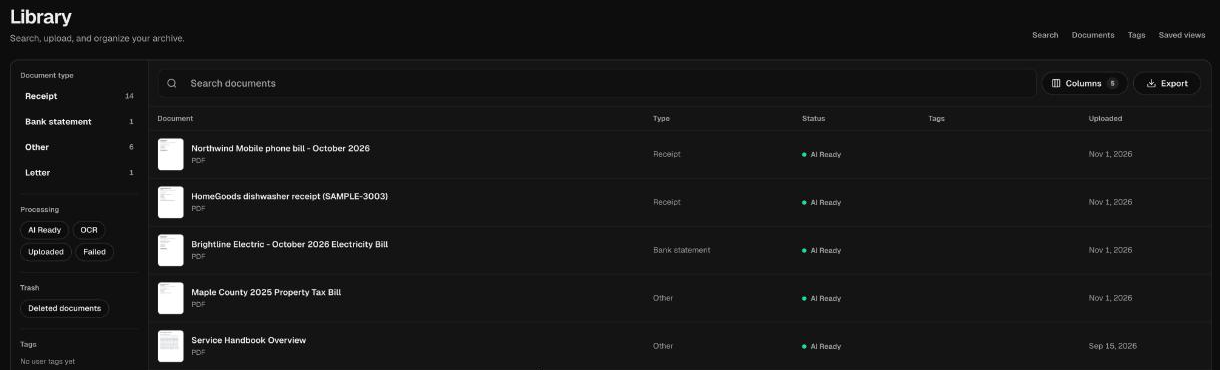
Upload the documents you want to ask about on the web, and wait until each one shows AI Ready in your library.
Connect your AI agent. Follow the guide for Claude or Claude Code, or the steps for your app on the AI agents page.
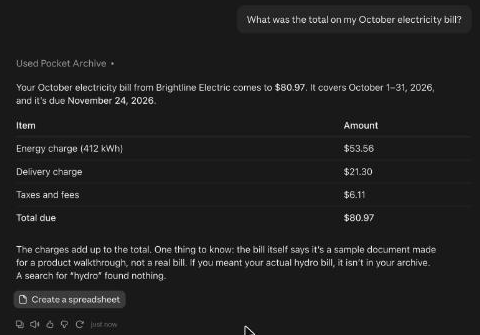
Ask a specific question. Name the kind of document and the time period, for example: What was the total on my October electricity bill?
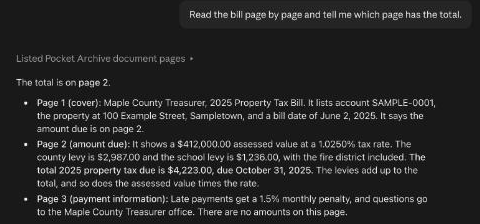
Ask where the answer came from: Which document and which page did you use? Search results point to the page that matched, and the agent can read a document page by page with
list_document_pages, so it can name the page.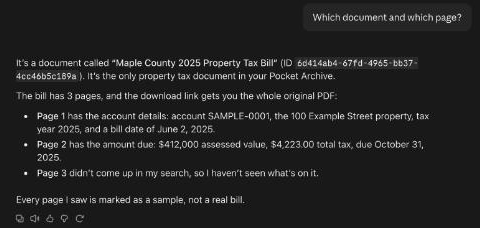
Ask for the original: Download the original. The agent calls
download_original_documentand gets a short-lived link to the PDF or image you uploaded. Claude on the web shows it as a link, even if it says it couldn't download the file itself. Open it before it expires, or ask for a new one.Open the original and find the page. Compare the amount, date or wording with the agent's answer. In Pocket Archive, the document page shows the original next to the details it extracted.
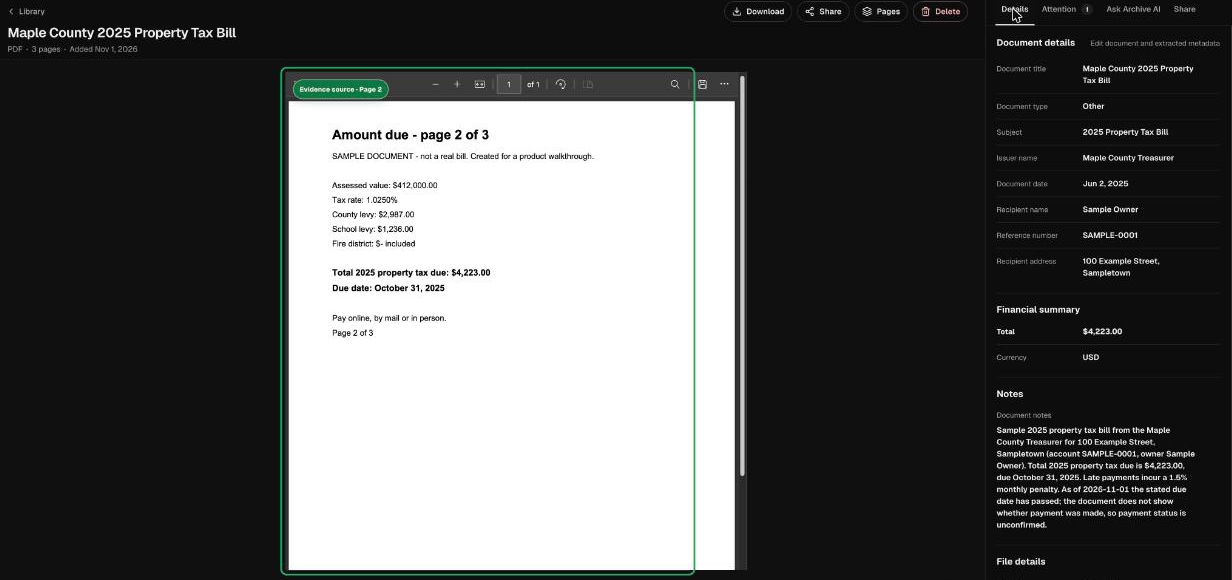
If they differ, trust the page. Ask the agent to read that page again. With allow-changes access, it can also correct the extracted details.
Check it worked
Ask your agent:
Find last year's property tax bill and download the original.
The agent calls search_documents, then download_original_document. Search results include the text of the matching page, so it may not need get_document. It names the bill, gives the amount and due date it read, and gives you a link to the original file to check.
What you can ask next
- What's the notice period in my lease? Quote the sentence and show me the original page.
- When does the warranty on my dishwasher end? Tell me which document says so.
- List my donation receipts from last year with their amounts, then download the originals.
- Does my car insurance policy cover rental cars? Read the policy page by page before you answer.
- Gather everything for my apartment lease renewal into a collection for me to review.
Limits and troubleshooting
Answers can be wrong: extracted details and AI answers may be incomplete or inaccurate. Check them against the original page before you rely on them.
Unfinished processing: a document that is still processing or failed won't show up in search. Wait for AI Ready, or retry processing.
Results stop early: the agent read only the first page of results. Ask it to keep going, or add the Pocket Archive skill.
Archive AI is separate: Archive AI chat in Pocket Archive isn't available to agents. Your agent answers from the documents it reads itself.
Who reads the text: text your agent reads is processed by that agent's provider under their terms. Use read-only access for sensitive records.
Questions
Why check the original page?
Extracted details and AI answers may be incomplete or inaccurate. The original page is the record, so compare the answer with it before you rely on it.
Can I ask questions inside Pocket Archive instead?
Yes. Archive AI answers questions with the source documents it used. The Free plan includes 30 Archive AI questions a month.
Does the agent need permission to change things?
No. Searching, reading and downloading originals all work with read-only access.
Which file types can I ask about?
Documents you add as PDF, JPEG, PNG or HEIC files, once text recognition has finished.